
Is Twitter killing RSS feeds?

rss or twitterThis is a question I have been asking myself for quite a while now:
With Twitter becoming a major way of sharing content and becoming one of the main tools to drive traffic to your website, are RSS feeds meant to disappear?

I have been using RSS feeds for years, maybe even for a decade now. I've always loved it, for its simplicity of use and for staying in touch/up to date with many websites. I have used it for news, for blog updates, ranging from SEO/SEM to photography or entertainment. I know many people are big fans of Google Reader, but I have always used Netvibes especially for its large collection of widgets and tab browsing. In fact, Netvibes has been my default browser homepage for years.

However, since I have been using Twitter, I barely look at my RSS feeds anymore. I log in Netvibes perhaps once a week and that's it. Most websites whose RSS feed I used to be a subscriber of, now offer a parallel Twitter account to follow.
And for this exact reason, what's the point of following the same content on two different feeds?

I will still keep my RSS subscriptions though, for the simple reason that it makes it easier for me to know what has been read already... or not. In Twitter, as soon as you start following a good number of people, the feed quickly becomes messy, over populated or even over polluted.
So yes, applications such as Tweetdeck or Seesmic Desktop let you organise your Twitter feeds into different groups such as News or Sports but if you haven't been online for a couple days, it's very hard to check what's been shared in the last 48 hours, and that you haven't read yet.

With other services such as RSStoTwitter or Twitterfeed helping you automate your Twitter posting using your RSS feed, it seems like we are currently witnessing a transition from one communication tool to another. In 2009, real-time search and communication has become a major innovation in the online world, Twitter and smartphones being the main reasons of this change.

I am aware everyone has different ways of using Internet so don't hesitate to let me know what yours is!
  • Do you think Twitter is a RSS killer?
  • Which of those two do you follow the most closely: your number of RSS subscribers or Twitter followers?
  • Do you believe both RSS and Twitter can live side by side?
  • Which one is currently driving the most traffic to your website: RSS feed or Twitter?
Thanks for sharing your impressions!
Read the full post

Sydney goes Sepia! Red dust sunrise

This morning was quite amazing and nothing like I've ever seen! Around 6:45am, I woke up by a bright red light coming from outside. Still half asleep, I thought to myself a sunrise like this would make a nice picture. So I got up and this is what I've witnessed like hundreds of thousands of Sydney residents... It has been going for over an hour although it is slowly fading away.


Click to enlarge


This is not a color effect! It is actually caused by heavy dust brought by winds throughout the night, mixed with a morning mist and a sunrise.

According to the Sydney Morning Herald:
Sydneysiders have woken to a red haze unlike anything seen before by residents or weather experts, as the sun struggles to pierce a thick blanket of dust cloaking the city this morning.
"The reason for the dust is we had some really strong winds in the inland areas of NSW and in South Australia for a sustained period yesterday," said Bureau of Meteorology senior forecaster Jane Golding."
The reddish haze was expected to fade as the sun got higher in the sky, Ms Golding said, but it was not known what would happen to the dust.
Read the full post

Pictogram animation videos

Here's a quick post to introduce you to an ad for Entenmann's Little Bites Muffins. I thought the pictogram animation was simple, fun and different from the other TV ads. I find the graphics well designed although not such a new concept. I couldn't help noticing the similarity with several other videos on the internet including this music clip from the Norwegian electronic band Röyksopp.


Remind Me from Röyksopp

Read the full post

Publishing a story online

Here's an interesting video created by thumb, a "digital media design" company for the RealWire web portal.

This animation video will show you why and how a story should be published in the online world, taking into account all the different social aspects of what Internet has become. Worth a look for all the sceptics out there :)


Other animation videos from RealWire are available here.
Read the full post

Monopoly City Streets - Nice Google Maps mashup

In order to promote their new Monopoly City game, Hasbro, Toy & board game company that owns Monopoly, has launched on the 9th of September an online version of their game.
I am sure everyone has already played Monopoly, even if it is a long time ago as a kid so I won't remind you the rules!

However, the great thing about this game is that you won't be playing on a traditional board with a limited number of streets to buy. In fact, the number of streets is almost unlimited as the board is the world! That's right, you can buy pretty much any street in the world!

How is that possible? Hasbro has integrated its game to the powerful Google maps. This type of "mashups" are commonly used and lets any developer play with Google maps in order to create a new tool or information app. If you are interested in seeing other examples, go to this page.

The game play of the new Monopoly Streets is slightly different from the classic one we all know. In this one, they have improved the constructions from little green and red plastic houses to actual buildings at different prices. You can also sabotage your opponent's streets by placing hazard buildings such as prisons or sewage plants!

On the online version of the game that you can find at www.monopolycitystreets.com, anyone can join. It's basically a game with an
unlimited number of players! When someone joins in, the new player receives 3 million Monopoly dollars with which he can buy streets and constructions and if you're lucky, receive Chance cards! In order to make money, you need to wait until the next turn, which is the next day and receive rent from your streets/hotels. This one you hopefully get richer and richer and climb your way up to the 6th level.

I find this new Monopoly City game quite similar to another board game I used to play as a child called Hotels where you would place real cardboard constructions on your properties!

Monopoly City Streets had such an amazing success in its first several days that the company decided to reset the game from scratch! After logging in yesterday, I had a message announcing me this decision. While I didn't really care as I had only played for 3 days, this might be a pretty bad announcement for the tens of thousands of players who had already built a nice real estate empire around the world! Monopoly City Streets victim of its success after just 9 days of gameplay!
However, I think this will give a good chance to all the people who read or heard about the game several days after its launch. Most big cities were already all owned and it wasn't that much fun to play as you would struggle to find an available street!


Anyway, this game will be running for 4 months unless they decide to extend that period.

I really believe this is one of the greatest online promotions so far as it people really get involved in it. If people want to optimise their chance of winning and making more money, they need to sign in as often as possible so most of them will do so on a daily basis.

If someone can think of something else that brings hundreds of thousands of people (if not more) on your site every single day for 4 months, well let me know! I am sure the phenomenon will slowly lose its popularity but it's still a great way for Hasbro to remind everyone they have a great game out there, especially when all the kids are leaving board games for xbox, PSP and Wii consoles! It is too soon to tell, but it would be interesting to see how many board games they sold before and following that promotion.
If anyone of you has some information, let me know!

In the meantime, enjoy the game! My username on the site is 'Hadrien' if you want to spy on me :) And yes, I own Woodstock Street!

Oh one last thing, you can of course follow the developpers on Twitter!
Read the full post

Customize your Traffic Sources using Google's URL Builder tool

google analytics logoI first read about the Google URL Builder on Didier's blog (in French) and decided to write an English article about this very useful tool. If you are monitoring your blog or website’s traffic on Google Analytics (GA), then this article might be of great help!

For obvious reasons, one important part of web analytics is the study of your traffic sources. For those who are not familiar with the terms, here’s a quick definition of the different types of traffic you will come across:

  • Direct traffic = Users coming on your website by entering your website’s URL directly in their browser, using saved bookmarks, etc.
  • Organic traffic = Users clicking on organic (=natural) results in the search engines.
  • Referral traffic = Users on another website clicking on a link to yours.
  • Paid traffic = Users clicking on paid ads if you are running a PPC campaign (mostly via Google Adwords).

However, GA sometimes makes it a bit confusing for the following reasons.
If you are running an emailing campaign or send out a newsletter containing a link to your website, the person who clicks on that link via a webmail client such as Windows Live Mail or Gmail will show as referral traffic coming from another website. But if someone else clicks on the same link of the same newsletter via a mail client such as Outlook, Lotus Notes or Thunderbird, then the traffic will be considered as Direct Traffic. Therefore it is quite difficult to know how many people in total have come through this newsletter.

google analytics traffic sourcesThis issue can be identified in many cases. For example, if you share a link in one of your Twitter messages, people clicking on that link via the Twitter.com website will be shown as referral as if people click on that same link via third party Twitter applications such as Seesmic Desktop, Twitterfox or TweetDeck, then this traffic will be considered as direct traffic.

To make it a bit simpler, I’ve tried different techniques in the past. For example, I have used URL shorteners such as bit.ly that convert your link and offer basic analytics such as the number of clicks. If I want to share a link on both Twitter and email, you can for example include the link bit.ly/pEr1G in one but use bit.ly/13L6hH in the other (both redirect to the same page). You can therefore have a precise idea of how many clicks each link aggregated.

However, you are using Google Analytics and might as well take advantage of its full power!

This is why I will show you how to setup a link using Google’s URL Builder. You can find it in the GA Help Center.

This tool lets you append parameters at the end of your destination URL such as the support you are using (Twitter, Facebook, Email,…) or the campaign you are running (Christmas promotion, Father’s Day,…).

Let’s see how this works.
google url builder tool
Above is a screenshot of the URL Builder tool. In order to properly generate a URL, you will need to enter some basic information in the blank fields as follow:
  • Website URL: This is the URL of the destination page you want to share (I have entered the URL of a previous article I have written on my blog for example).
  • Campaign Source: Enter the source on which you will be posting your link. For example, I will share this link on Twitter and therefore included the Twitter parameter. If you want to share it on facebook, then enter facebook instead of Twitter… as simple as that!
  • Campaign Medium: In this field you will enter the medium you will be using to share the link. This can be a good way to later sort your traffic in GA. If you select social, all your links shared on social networks will be selected.
  • Campaign Term: Optional. I haven’t used this parameter before but this would let you keep track of which keyword a particular ad is working with if you are using Paid Search.
  • Campaign Content: Optional. This is not compulsory but just like the above parameter, it can be useful in PPC or display campaigns in order to identify which ad has been used.
  • Campaign Name: This is an extra parameter that lets you identify even more precisely what this link is. For example, I have entered “Article-Multitab Browsing” to make it easier for me to recognize it. Of course, you can name it the way you want (product name for example).

Once the required fields are filled, simply click on the Generate URL button and you will get a brand new one containing the parameters explained above. In my case, I end up with the URL: http://feedonthis.blogspot.com/2009/08/multi-tab-browsing-and-its-impact-on.html?utm_source=Twitter&utm_medium=Social&utm_campaign=Article-Multitab%2BBrowsing

Note that once you are more familiar to the way these parameters work, you can easily build them yourself without using the Google URL Builder tool. Just be careful not to break the syntax.

This may seem a bit too technical at first but it is quite simple in the end. A lot of people and companies have already been using this in order to track precisely their links.
Next time you receive an email from Twitter telling you someone is following you, have a look at the link inside the email:

http://twitter.com/TWITTERUSERNAME?utm_medium=email&utm_source=follow&utm_campaign=twitterID

If you get promotional emails, you will also see that most of them use this method:
http://www.jetstar.com/au/en/cheap-flights/sales.aspx?utm_source=jetmail&utm_medium=email&utm_campaign=darwin_sale_20090909

I hope that little tutorial helped you. Don’t hesitate to comment!

PS: I have also noticed that traffic coming from Google images is listed as referral although it is organic in my opinion. However, there is nothing we can do about this one!
Read the full post

Where the hell is Matt? Or how to turn a viral Hit into a Flop!

I think everyone has seen the video from Matt Harding entitled "Where the Hell is Matt?". If you haven't, then you've probably lived under a rock for the past 3 years!
Posted in 2006, the video has been what I would consider a major hit on the web, accumulating over 14 million views so far making it one of the best viral videos of all time.


Original "Where the Hell is Matt?" video


But what is viral content? This usually stands for any type of content (although mostly videos) that spreads naturally amongst web users, just like a virus would between living beings. This led to a new form of advertising several years ago called viral marketing or buzz marketing. However, viral is not as easy to launch as it seems. Sometimes great videos never get the buzz they deserve while others are total hits although not great quality videos.

But one thing is certain: If you want some content to go viral, it needs to appeal to people!

In 2008, Matt Harding posted a second "Where the hell is Matt?" video currently totaling over 23 million views on youtube! Yes, this is close to twice the number of views on his first popular video...

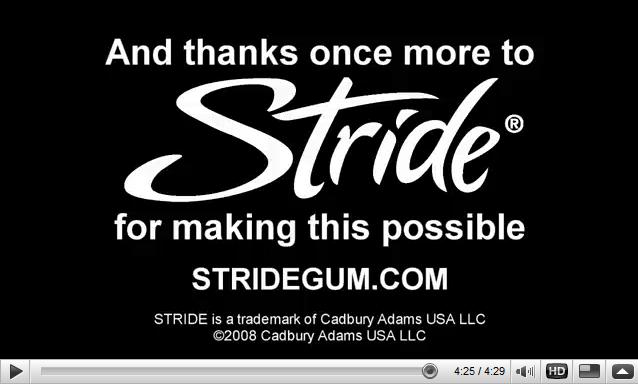
where the hell is mattThis second video was actually financed by Stride, a chewing gum company. But, although there is no obvious relation between Matt's video and bubble gums, Stride probably did benefit from this video.
As you can see on the screenshot (right), only a small thank you message appears at the very end of the video with the Stride logo. It is the same on Matt's travel blog where only a tiny Stride logo appears in the bottom left corner.


"Where the Hell is Matt?" sponsored by Stride


I believe if this second video was successful, it is because Stride hasn't imposed any advertising. The image is not polluted by ads or obvious Stride logos and still focuses on highlighting beautiful places around the world in a good quality video. In summary, the advertising aspect was kept to its minimum.

HOWEVER, if I am writing this post, it is because of the two following ads from Visa card. The first one is a US ad published around 9 months ago while the second one was published just over a month ago. Respectively, they score 53,000 and 800 views, far from the original videos!

Well, I'll let you judge the videos by yourself but I am quite certain they will never go viral.
Why? Firstly because they're pretty bad.
Secondly, because the whole Where the Hell is Matt concept has simply become over-exploited and over-advertised, and that's something people usually flee.

Mastercard should have taught Visa their slogan.
"Sometimes, there are things money can't buy: online popularity"

Visa ad


Japanese Visa ad


PS: I still give a round of applause for Matt for the original videos that are just splendid and also for getting free trips around the world at the advertisers' expenses!
Read the full post